The Garbage can process is a simple way of meshing an organization's stakeholders its problems and the solutions that encompass them all. Adding together the choices made, the time and resources used there is a mixing of these factors to have at-ready solutions at any time there is a need for an answer. In this process, decisions are confined to not only the limits of an organization's resources but what are the major consequences of such decisions and the situation the organization finds itself in.
The outcome of this process is based on several factors but solely on how the mixture of participants, the avenues of opportunity, resources available, the problems facing the organization & creation of solutions or ability thereof to create those solutions. Therefore, a lot of the garbage can process when it comes to a decision making you can say depends on the organizational culture.
If the culture allows certain solutions to be vetted or even considered, you see this in a lot of organizations, which are limited by the amount of choices, participants, resources, and opportunities available. Constraints of the organization's mission or mission statement which can help create its culture can also be a roadblock to a successful solution in this process.
Although it is an interesting theory the truth is that it is widely used by most organizations as they navigate the marketplace. Organizations use this type of process to stay culturally sensitive towards their base of customers and stakeholders. This method is a protective measure to ensure, feasible and was problem-solving methods in the future.
Read more about the garbage can decision-making process:
http://faculty.babson.edu/krollag/org_site/encyclop/garbage_can.html
Showing posts with label Resources. Show all posts
Thursday, July 6, 2017
Thursday, June 29, 2017
Organizational Clarity: upcoming topics
Looking through old assignments and found a couple of useful things that I can post upon here to help give some clarity to the field of organizational development. I noticed that many students and professionals post a few blog posts online with some great information but after a while either get disillusioned and quit or did it for an assignment then stopped after completion.
I started the blog as an assignment but decided to add more to it because there just is not a lot of information about the field out there. Plus, if there is any information it is usually disjointed or all over the place, giving the researcher multiple sources with bits and pieces everywhere. Hopefully, these new posts will streamline that process for everyone and make researching for material and sources easier for everyone.
Thursday, April 20, 2017
Organizational Clarity: “Tips for Using Sound Effects in E-Learning” article
From the Articulate community dedicated to increasing a professional’s knowledge of E-Learning, giving out free tips and free resources on how to implement E-Learning in the workplace or how to easily find cheap solutions to organizational needs. In this week’s email I received a link to:
In this week’s email I received a link to: “Tips for Using Sound Effects in E-Learning” this is a great article that refers you to how to use sound effects in your training program properly. From having the Proper Rights and Attribution to understanding how to use the right sound effects can affect the learning experience of your audience, therefore, Knowing Your Audience is key and the article discusses that as well.
Just click on the link here to learn more: https://community.articulate.com/articles/tips-for-using-sound-effects-in-e-learning
Monday, February 6, 2017
Organizational Clarity: Free E-book (download)“Determining the Learning Outcomes for an E-learning”
This is another free E-book from CommlabIndia in pdf format from the 7 books series called “Determining the Learning Outcomes for an E-learning” this short e-book discusses why it is important to set outcomes or guidelines for the learning process. With clear learning objectives we are able to set expectations and goals from a certain level of performance that the learner must produce as a result of their training. This also helps determine how the learning process is delivered, assessed and the content covered with the training sessions itself.
The E-book also covers briefly pitfalls to avoid and tips to make sure that the learning outcomes are achievable most of these you may think are common sense but a refresher is always good to have. Plus if you are working in or with a team, not everyone has the same knowledge base as you might have, so this e-book will get everyone on the same page without the need for extended explanations or details.
After reviewing the E-book and you see that the information is useful for your purposes go ahead and download. Just click on the link here for your free download:
https://www.commlabindia.com/elearning-components/ebook/7ebooks-2-determining-the-learning-outcomes-for-an-elearning-commlab.pdf
Tuesday, January 31, 2017
Organizational Clarity: Free E-book (download) "Get Your Course Development On Track Choose the Right Authoring Tool"
I have found another free download from CommlabIndia which is great for us cash strapped professionals and organizations! This is a free e-book in pdf format from the 7 books series called “Get Your Course Development On Track Choose the Right Authoring Tool” this short e-book talks about choosing the right authoring tool (of course) to get your organization’s e-learning processes up to speed, started or even updated.
The article starts with the five major influences to your decision in picking the right tool for the job:
- Training requirement
- Nature of content
- Multilingual requirements
- Publishing options
- User-accessibility features
After listing these major factors the e-book looks at nine authoring tools which are:
- Articulate Storyline 2
- Articulate 360
- Adobe Captivate 9
- Adobe Presenter 11
- Lectora Inspire 16
- Lectora Online 3
- iSpring Suite
- Claro
- Gomo Learning Suite
Then the article goes on to listing the five major challenges businesses face and then links up the program that will be the best solution (tool) for that challenge. The E-book also has a comparison chart that that is great for additional comparison if necessary so that when you choose the right authoring tool you will be able to explain why the decision or recommendation was made.
Here are the challenges that are listed in the E-Book:
Challenge 1: Rapid Conversions
Challenge 2: Interactive E-learning
Challenge 3: Quick Translations
Challenge 4: Responsive E-learning
Challenge 5: Ease of Online Review
After reviewing the E-book and you see that the information is useful for your purposes in choosing the right authoring tool go ahead and download. Just click on the link here for your free download:
https://www.commlabindia.com/elearning-components/ebook/7ebooks-5-get-your-course-development-on-track-choose-the-right-authoring-tool-commlab.pdf
Tuesday, January 17, 2017
Organizational Clarity: “5 Handy Tips That Help You Personalize Your Online Learning [Infographic]” article
I was reading an article about online learning in an effort to make any programs I may develop in the future become more user-friendly and inviting to the trainees I want to reach. So I read an article called: “5 Handy Tips That Help You Personalize Your Online Learning [Infographic]” by Saritha Esaboyuna this article is again straightforward and to the point (the way I like it), listing 5 ways to draw in learners and to have effective e-learning sessions.
These are simple everyday things that we simply forget about when creating training sessions in general and helps give the session that personalized touch that learners actually appreciate when learning new material, or having to brush up upon current organizational practices,
Please click on the link for more information:
I hope these tips work for you and have a good day!
Tuesday, January 10, 2017
Organizational Clarity: "How to Manage the Course Authoring Process Like a Pro" article
Although the article is based on the assumption that you are using Articulate programs for Course Authoring it does have three great tips in time management since most of the time during this process is focused on project management. In this article: “How to Manage the Course Authoring Process Like a Pro” by Trina Rimmer there is a brief three tips (with additional quick tips given) listed in the article on how to streamline this process and make it less challenging of the course author.
As we all know time is one of the scarcest resources that we may have especially when a client is very motivated or desperately needs an e- learning program to teach its employees new methods and procedures so that the client maintains its hold onto or increases its market share, increases productivity or even increases its ROI.
This article covers three tips:
- · Prep Like a Project Manager
- · Get Organized
- · Streamline Communications
Although these sound like common sense tips, under the gun and rushed for time we may forget these basic procedures. So if you want to know more, please click on this link for the article:
Thursday, January 5, 2017
Organizational Clarity: Download.com for your Organization Clarity needs
I mentioned in a post for my Learning Technologies class at Roosevelt University to another student that in response to their wish for more free software to work with when it came to training sessions, video creation, and to enhance presentations they should go to download.com.
Don’t worry this is not a commercial for the site, and I do not like some of the programs on there but it is a site that tests and posts: paid, free to try and free programs to install on your PC or Mac for your own individual usage. From audio recording program to video editing this site literally as it all, plus it has reviews and ratings from the editors of cnet.com and the users of the programs.
Which such details readily available and online site organization that will make your head spin, you will most likely find what you need when it comes to enhancing that Monday morning presentation that just looks flat. So I recommend giving it a go and check out the download site on Cnet.com, oh, they have apps for mobile too! I have divided the links for your convenience into the various systems they cover:
For Mac: http://download.cnet.com/mac/
For Android: http://download.cnet.com/android/
For IOS (Apple phone): http://download.cnet.com/ios/
Labels:
Android,
Download,
Employees,
Free Download,
IOS,
Learning Technologies,
Mac,
Microsoft,
Microsoft PowerPoint,
Organizational Clarity,
Organizational Development,
PC,
Resources,
Roosevelt University,
Training
Saturday, December 17, 2016
Creating the YouTube channel from an Organizational Development standpoint.
For a class in my graduate studies, I was introduced to creating a video or tutorial online, so I picked something for this assignment that everyone could use when starting out with their own individual google account.
As Organizational Development (OD) Professionals you may need to create, produce and distribute video presentations regarding OD or for whatever your organization needs, this generic tutorial will help you take an existing google account and create a YouTube playlist of all your videos. Videos for your personal use to watch over and over again, or for (again) your Organization usage, creating and posting videos on YouTube or even linking videos posted by others for official repeat usage.
Here is my video called “YouTube playlist with existing google account”:
This is the step by step script I used for the video it may help with creating the YouTube channel:
- Today we are going to create a YouTube playlist with an existing Google/Gmail account, for this to work you will, of course, need an existing Gmail account. For this process, I will be using google chrome as the primary web browser.
- Since google chrome is my browser of choice it gives me the Gmail button at the start up screen to start the sign in process. However, if Google chrome is not your web browser of choice, you can do what I am doing here and type in Gmail.com into the address bar and it will get you to the same sign in screen, either way, is fine.
- Since my Gmail account is difficult to spell I am going to cut and paste it in the “enter your email” box and hit the “next” button, will get you to the password screen.
- This will get you to the password screen where you can see my Gmail profile picture, name and email address above the password box. So I will just type in my password and hit the “sign in” button.
- This brings me back to the Control-Protect page don’t worry just go to the right-hand corner on the page where there is a series of boxes and click on it.
- There you will automatically see a bunch of applications plus an option for YouTube click on to that button.
- This will take you to youtube.com
- Now think of a few videos you want to add to a playlist and type the subject into the search box up above.
- For this, I want to start with something in Organizational Development as you see it will automatically come up so I type that into the search box.
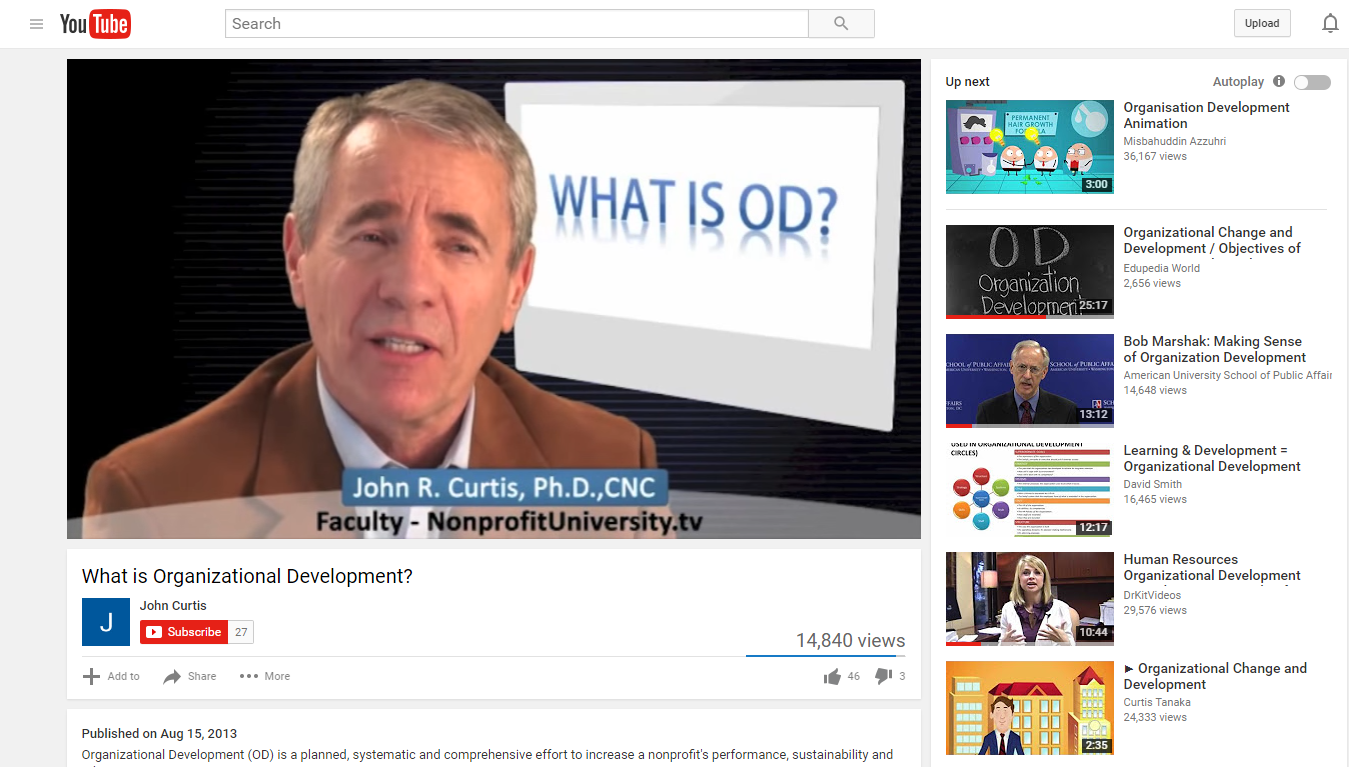
- Now as you scroll down the search you see a number of videos, for this, I will just choose one, John Curtis’ video will be fine, so click on the hyperlink for it.
- Usually, I turn down the volume, so it does not disrupt the process.
- Now I move my cursor under the title of the video to a plus icon on the left that has “add to” next to it and I click it.
- An Add to box, will come up with an option for “create new playlist” for this Gmail account. I simply hit the “create new playlist” button then I will name it: “Organizational Development” now I have an established channel so if I want to add additional videos at a later time to it I can.
- For now, I have completed creating a YouTube account for this Google/Gmail account. With a playlist, you can watch a collection of videos over and over again without continually searching YouTube for the ones you prefer to see multiple times.
- All you have to do now when logged into your existing Gmail account is type in youtube.com as you see here, now you will go to the left and there is a library section where your playlist will be listed. Click on to the playlist you want the screen to the left will reflect the playlist selection on the next screen. To start it, all you have to do is go up to the “Play all” button to start the playlist anytime you want.
- And with that, this concludes how you create a YouTube playlist with an existing Google/Gmail account using Google chrome as your default browser. Thank you.
Labels:
Blogs,
E-Learning,
E-Learning Design,
Employees,
Google,
Organization,
Organizational Culture,
Organizational Development,
Professionals,
Resources,
Tutorial,
Videos,
YouTube,
YouTube playlist
Thursday, December 8, 2016
Coming up with the name "Organizational Clarity" the Organizational Development way
When it came to naming this blog there was the idea but not the title, add to that it was just an idea I had for some time, however when the opportunity came to produce a blog for a class project it was like the universe aligned! Part of Organizational Development is learning to use a resource like time, time management is usually the term floated around, but also realizing there is an opportunity to change or create.
That is what has happened here, so as with any program, product, or project you need a “catchy” name to sell not only to the people working on (me) the project but all the stakeholders involved. I admit I had the articles and various topics I wanted to talk about but the name I was at a loss, so I sent out to a group text to collaborate with my wife is a recent Roosevelt University graduate and a friend who is attending DePaul for a degree in the field.
Although I came up with the majority of titles I needed their feedback to see if the title was again “catchy” to an audience like them, like this blog will, hopefully, be helping. After a while, I came up with “Organizational Clarity” and because it is the goal basically of Organizational Development is to come up with a means to bring clarity to the policies, procedures, and products that an organization wants to implement or streamline for a better Return on Investment. So I got a “go ahead” vote for the title and here we are but I do like to mention some of the titles that did not make it:
- “The ever evolving Organization”
- “The Evolution of organizations”
- “Organizational Development, Organization Evolution”
- “Organization Evolution”
- “OD Happens”
- “OD collective”
As you go through the list you can see how the title would definitely affect how readers of this blog would have reacted if one of those titles were used instead. In Organizational Development it is necessary to collaborate with other professionals, or in this case, I used a small test audience to gain the necessary feedback I needed to produce the result I required. Basically, standard Organizational Development methodology at work so my thanks to Joyce Prosser and Tanya Carranza on their feedback, (always important to recognize contributions!) and I look forward to creating more Organizational Clarity in the near future.
Wednesday, December 7, 2016
Confused with learning technologies
When working with technology in the field of Organizational Development (OD) you have to be part tech guru part tech expert, although these sound like the same thing they are not. When I say part tech guru I mean more along the definition lines of a teacher, because clients will at one time or another want to use the latest technologies to streamline their business practices and evolve in the marketplace to stay competitive.
Therefore, being a teacher of learning technologies is not just limited to the employees who use the application and the professional who introduces it, but the client as well. You will need, to sum up, tons of knowledge to quickly explain what learning technologies are good for them.
Sometimes an organization will want you to thoroughly explain the choices but when there is time, and usually time is a resource that is not always found readily available. But to this, you must also be a little bit of a tech expert so you will need to know terminology like LMS and LCMS the difference between the two learning systems and how your client systems are compatible (or not) with the various system choices.
In regards to that, I have found an article called: “Confused with learning technologies? Choose your best option” By Abdul Razzaque Hussain which gives an overview into three aspects you and your client will need to consider when deciding upon implementing learning technology systems into the organization. This is great for OD professionals, students, and anyone with any interest regarding using learning technologies in their organization just click on the link below for more information:
Organizational Clarity blog: about me and this blog.
This is a Site with blogs, and soon web pages that will have a focus on the multiple aspects of Organizational Development. Originally started as a class project the information posted here will occur on an ongoing basis.
As I have stated to one of my Professors: I want this site to have “Organization Development (OD)" as a recurring theme, adding articles and videos directly regarding OD, to adding commentary that is along the lines of OD about various business articles I have read recently. Basically to illustrate the point that once one graduates with a degree they will still need a body of work outside the classroom to show how they stay relevant to other like-minded professionals in the field, while also providing a place to network and find additional resources (about OD) throughout their career…”
I think one of the main things I have found upon online is the uneven availability of resources for OD professionals, there are a few sites that have tons of great information presented by individuals and organizations on a significant scale. Then there are a vast numbers of individuals (and organizations) that present a minuscule explanation or information about what Organization Development is and the resources that can effectively explain or do the job of an OD professional.
My hope is to gain that middle ground between the two groups (I have aforementioned) with the information that I post upon this site periodically. In the hopes that it corrals the majority of these different aspects to become a resource that professionals, students, and individuals with an interest in the field can use.
Subscribe to:
Posts (Atom)