Showing posts with label Videos. Show all posts

Tuesday, March 28, 2017

Organizational Clarity: “MP4 – Making Flash-based E-learning Videos Universal” article

From the CommlabIndia community is an article from easy, cheap solutions to meet organizational needs. In an email I received was a link to: “MP4 – Making Flash-based E-learning Videos Universal” by Phani Madhav. I must admit I do love MP4 formats when viewing any types of video the quality is close to DVD format and is usable on different types of avenues such as desktops or smartphones.
This article discusses why you should use MP4s to create Flash training programs and use instead of Flash, mainly due to the certain devices cannot use Flash effectively plus you can add subtitles (as mentioned in the article) to the videos which help with multilingual or international audiences.  Keeping the audiences involved and maintaining their interest in the material you are presenting is key so using MP4 format will assist you to avoid presentation problems as mentioned in this article.
These are four other advantages listed in the article when using the MP4 format:

1.       The quality of MP4 videos is near identical to those of original DVD videos 

2.       Content published in the MP4 format can be streamed on mobile devices

3.       Videos published in the MP4 format can be shared very easily on mobiles 

4.       MP4 can be used to develop videos for multilingual learners

If you want to know more just click the link here:
http://blog.commlabindia.com/elearning-development/mp4-for-universal-elearning-videos

Thursday, February 23, 2017

Organizational Clarity: “Vitalize Your Online Training Programs with Videos”article

In an article called “Vitalize Your Online Training Programs with Videos” by Sushmitha Kolagani, the author discusses why on-demand videos should be used in Online Training Programs. The basic tenant is that it is much cheaper than sending a trainer to various locations for annual events and presentations. 
When it comes videos reusability, training uses or increased retention are great reasons to use videos in addition to e-learning programs or with performance support tools. The more of the material that a learner learns has access to the better, also the adaptability of on-demand videos to either be used to increase or boost morale or even giving quick techniques for representatives to do certain tasks in half the time. The idea of introducing on-demand videos into your training repertoire is one that should be made into reality.
If you see the same thing happening in your organization I urge you to click on the hyperlink below and read the article about E-Learning to educate yourself and your organization’s E-Learning dissenters
Here is the hyperlink to “Vitalize Your Online Training Programs with Videos” by Sushmitha Kolagani: 


Tuesday, February 14, 2017

Organizational Clarity: “ETEC 524: Example Technology-playtesting Reflections: Affordances of Video” blog

This is a great blog that discusses why video should be used in the learning process explaining how video captures the learner’s attention. Plus, how watching is more effective than reading and how the rapid presentation and control of video in the learning process is highly effective. Please click the link to learn more:
I hear lots of kudos for YouTube and how engaging it is to use videos for instruction, but blanket statements applauding YouTube as “great!...


Saturday, December 17, 2016

The Organizational Development YouTube playlist.

So to streamline the resources I have found on YouTube regarding Organizational Development and I made a YouTube channel of the same name “organizational development” for now I have only 10 videos here is the hyperlink for the playlist:
The playlist covers these videos:
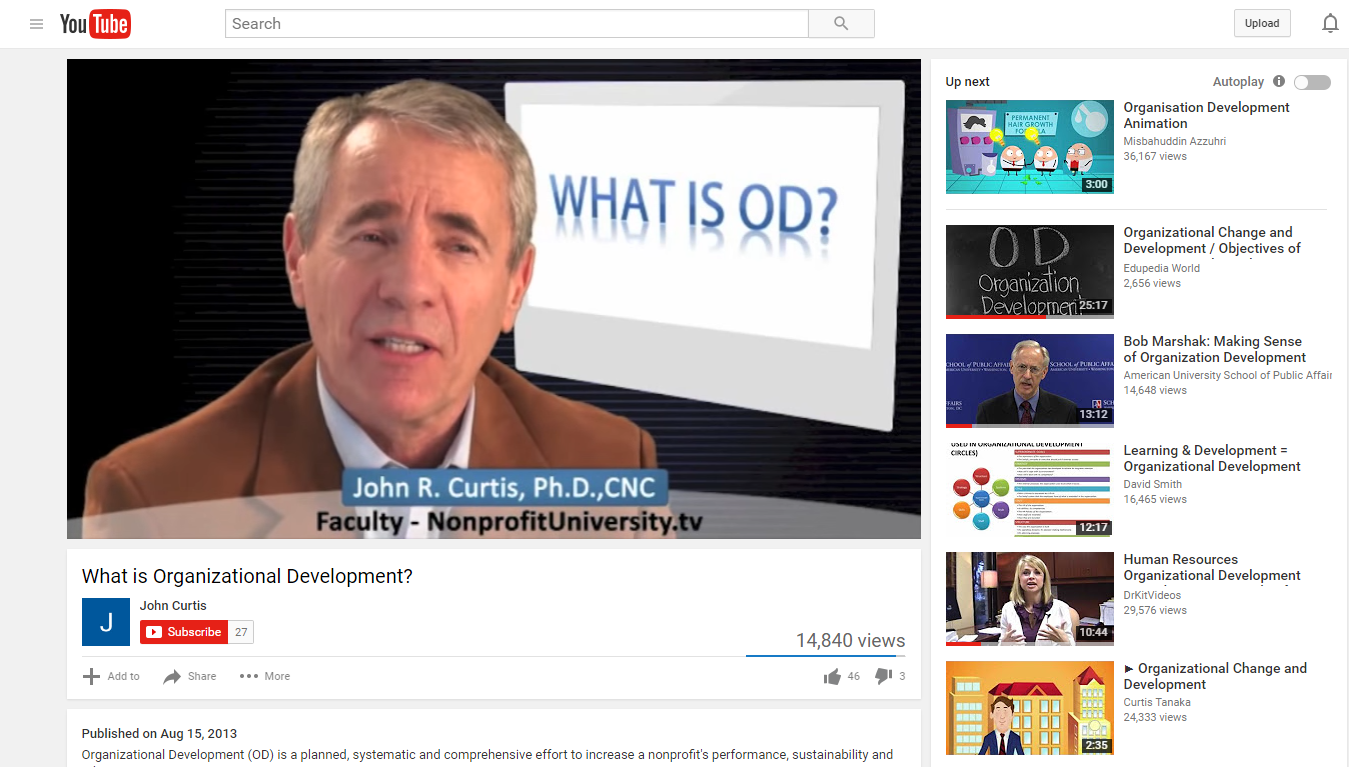
  1. What is Organizational Development? by John Curtis
  2. Organizational Change and Development / Objectives of Organizational Development by Edupedia World
  3. What is Organizational Culture? by Denison Consulting
  4. Human Resources Organizational Development Consultant, Career Video from drkit.org by DrKitVideos
  5. Bob Marshak: Making Sense of Organization Development by American University School of Public Affairs
  6. Resistance to Change - based on Harvard article by Esteban Elsa
  7. What is organizational CHANGE? by Mavim
  8. Lesson 10 Organizational Culture and Change by Teo Hiro
  9. Strategies for Organizational Change by Theleaderdoctor
  10. How to Deal with Resistance to Change | Heather Stagl | TEDxGeorgiaStateU by TEDx Talks
You will, of course, find video descriptions after you click on the video hyperlink, but rest assured these are all videos that are Organizational Change and Organizational Development related I tried not to pick video presentations that were too “dry” and that were fun so it can be more engaging. Happy viewing!  


Creating the YouTube channel from an Organizational Development standpoint.

For a class in my graduate studies, I was introduced to creating a video or tutorial online, so I picked something for this assignment that everyone could use when starting out with their own individual google account.
As Organizational Development (OD) Professionals you may need to create, produce and distribute video presentations regarding OD or for whatever your organization needs, this generic tutorial will help you take an existing google account and create a YouTube playlist of all your videos. Videos for your personal use to watch over and over again, or for (again) your Organization usage, creating and posting videos on YouTube or even linking videos posted by others for official repeat usage.
Here is my video called “YouTube playlist with existing google account”:
This is the step by step script I used for the video it may help with creating the YouTube channel:
  • Today we are going to create a YouTube playlist with an existing Google/Gmail account, for this to work you will, of course, need an existing Gmail account. For this process, I will be using google chrome as the primary web browser.
  • Since google chrome is my browser of choice it gives me the Gmail button at the start up screen to start the sign in process. However, if Google chrome is not your web browser of choice, you can do what I am doing here and type in Gmail.com into the address bar and it will get you to the same sign in screen, either way, is fine.
  • Since my Gmail account is difficult to spell I am going to cut and paste it in the “enter your email” box and hit the “next” button, will get you to the password screen.
  • This will get you to the password screen where you can see my Gmail profile picture, name and email address above the password box. So I will just type in my password and hit the “sign in” button.
  • This brings me back to the Control-Protect page don’t worry just go to the right-hand corner on the page where there is a series of boxes and click on it.
  • There you will automatically see a bunch of applications plus an option for YouTube click on to that button.
  • This will take you to youtube.com
  • Now think of a few videos you want to add to a playlist and type the subject into the search box up above.
  • For this, I want to start with something in Organizational Development as you see it will automatically come up so I type that into the search box.
  • Now as you scroll down the search you see a number of videos, for this, I will just choose one, John Curtis’ video will be fine, so click on the hyperlink for it.
  • Usually, I turn down the volume, so it does not disrupt the process.
  • Now I move my cursor under the title of the video to a plus icon on the left that has “add to” next to it and I click it.
  • An Add to box, will come up with an option for “create new playlist” for this Gmail account. I simply hit the “create new playlist” button then I will name it: “Organizational Development” now I have an established channel so if I want to add additional videos at a later time to it I can.
  • For now, I have completed creating a YouTube account for this Google/Gmail account. With a playlist, you can watch a collection of videos over and over again without continually searching YouTube for the ones you prefer to see multiple times.
  • All you have to do now when logged into your existing Gmail account is type in youtube.com as you see here, now you will go to the left and there is a library section where your playlist will be listed. Click on to the playlist you want the screen to the left will reflect the playlist selection on the next screen. To start it, all you have to do is go up to the “Play all” button to start the playlist anytime you want.
  • And with that, this concludes how you create a YouTube playlist with an existing Google/Gmail account using Google chrome as your default browser. Thank you.