Showing posts with label YouTube. Show all posts

Tuesday, March 14, 2017

The Human Performance Improvement YouTube playlist.

Recently I was introduced to Human Performance Improvement this includes such topics as: Organizational Analysis, Root Cause Analysis, Environmental analysis, Fish bone diagram and Gap Analysis
So I decided to make a YouTube channel called “Human Performance Improvement” for now to cover some the terminology within this area of organizational study. For now, I have only 8 videos here is the hyperlink for the playlist: https://www.youtube.com/playlist?list=PLl128ljkxUxpsOmRhN419qn30n30AeTs3
The playlist covers these videos:
  • Human Performance Improvement in 90 seconds by Michael Cuomo
  • Organizational Analysis Chapter 5 by Michael Nugent
  • What is a Fish bone diagram? by Askme.com
  • Cause and Effect Analysis: How to Create Fishbone Diagrams to Solve Problems
  • How to do a GAP Analysis by Martha Begley Schade
  • 5 Whys: Root Cause Analysis and Problem Solving EMS Consulting Group
  • Environmental analysis – defined by B2Bwhiteboard
  • Human Performance Improvement by Tim Rooney
You will, of course, find video descriptions after you click on the video hyperlink, but rest assured these are all videos that are Organizational Change and Organizational Development related I tried not to pick video presentations that were too “dry” but some of them tend to get that way. So I apologize in advance but happy viewing!

Tuesday, February 14, 2017

Organizational Clarity: “ETEC 524: Example Technology-playtesting Reflections: Affordances of Video” blog

This is a great blog that discusses why video should be used in the learning process explaining how video captures the learner’s attention. Plus, how watching is more effective than reading and how the rapid presentation and control of video in the learning process is highly effective. Please click the link to learn more:
I hear lots of kudos for YouTube and how engaging it is to use videos for instruction, but blanket statements applauding YouTube as “great!...


Thursday, December 29, 2016

Organizational Clarity: "PowerPoint: Brain Think Template"

From the Articulate community dedicated to increasing a professional’s knowledge of E-Learning, giving out free tips and free resources on how to implement E-Learning in the workplace or how to easily find cheap solutions to organizational needs. In this week’s email, I received a link to: “PowerPoint: Brain Think Template” this is a great visual template that you can use for free when creating a Microsoft PowerPoint slide deck for training purposes.
In the article, there is another link to the article that supplements the one up above: “Storyline 2: Brain Think Template” which has a link to a YouTube tutorial by the author but instead of having you become a clinking monster here are the links here:
How to Create a Simple Quiz in Storyline” tutorial on YouTube although you need the articulate software you can try it free for 30 days:
https://www.youtube.com/watch?v=PEcZEUnAnnc&feature=youtu.be
I suggest trying the software first and then figuring out how you can use the templates listed as downloads in the articles above with PowerPoint, later on, to give you the “look’ for the training purposes that meets your organization’s needs.

5 Tips For Creating Beautiful E-Learning Courses, Fast

From the Articulate community dedicated to increasing a professional’s knowledge of E-Learning, giving out free tips and free resources on how to implement E-Learning in the workplace or how to easily find cheap solutions to organizational needs. In this week’s email, I received a link to: “5 Tips For Creating Beautiful E-Learning Courses, Fast” when you do not have an in-house designer to create professional courses for your organization’s employees this link will give you the information you need.  The five tips for creating learning courses are:
  • Using Free Graphics
  • Starting with a Template
  • Picking 2-3 Go-To Fonts
  • Picking a Color Palette and Stick with It
  • Keeping It Simple
This article has 5 steps of great advice plus a free E-book for visual design that you can use, free!
As I always say it's “it is a great resource that defines the challenges that may face your organization and tells you the E-Learning authoring tools you can use, without you or your organization wasting time and money researching various programs…”


Sunday, December 18, 2016

A favorite in my playlist called Organizational Development?

Easy question to answer, I think this is a really fun video and straight to the point, discussing “What is Organizational Change?” from Mavim B.V. I love the engaging interaction, smooth animation, and great quick delivery. I believe in trying to get management and employees in a resistant organization, you need to have small baby steps to gain these groups’ trust and cooperation.   
This video easily puts into perspective the fact that change is constant, and that change is needed for a business to remain competitive. Add with that the advent of social media customers have a larger voice than ever before so communicating with them has changed and an organization must be able to change to communicate with those customers properly.
You can find all of this information in the video, “What is Organizational Change?” just click on the hyperlink below:
https://www.youtube.com/watch?v=5xsPLr-q_Nk&index=7&list=PLl128ljkxUxp5-MqyB_uGXEDCK4cVwGKw

Saturday, December 17, 2016

The Organizational Development YouTube playlist.

So to streamline the resources I have found on YouTube regarding Organizational Development and I made a YouTube channel of the same name “organizational development” for now I have only 10 videos here is the hyperlink for the playlist:
The playlist covers these videos:
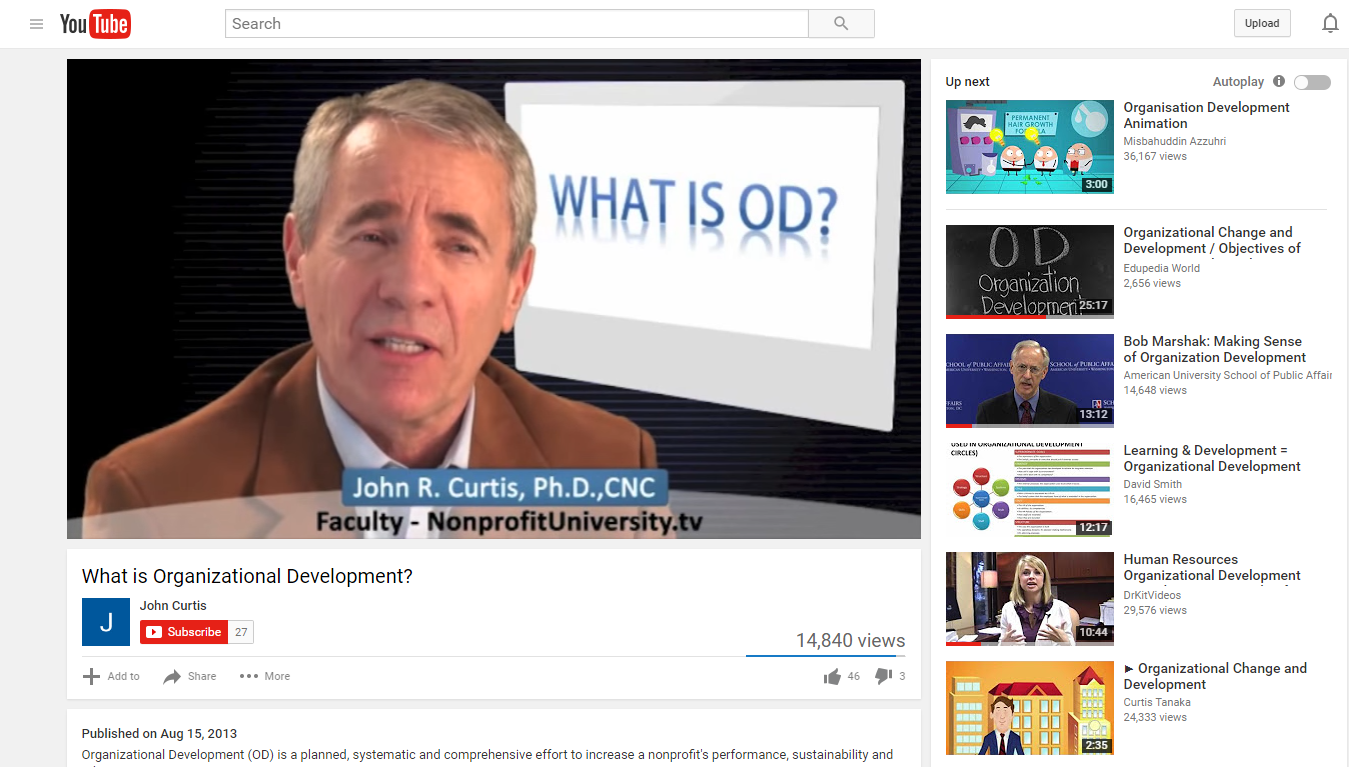
  1. What is Organizational Development? by John Curtis
  2. Organizational Change and Development / Objectives of Organizational Development by Edupedia World
  3. What is Organizational Culture? by Denison Consulting
  4. Human Resources Organizational Development Consultant, Career Video from drkit.org by DrKitVideos
  5. Bob Marshak: Making Sense of Organization Development by American University School of Public Affairs
  6. Resistance to Change - based on Harvard article by Esteban Elsa
  7. What is organizational CHANGE? by Mavim
  8. Lesson 10 Organizational Culture and Change by Teo Hiro
  9. Strategies for Organizational Change by Theleaderdoctor
  10. How to Deal with Resistance to Change | Heather Stagl | TEDxGeorgiaStateU by TEDx Talks
You will, of course, find video descriptions after you click on the video hyperlink, but rest assured these are all videos that are Organizational Change and Organizational Development related I tried not to pick video presentations that were too “dry” and that were fun so it can be more engaging. Happy viewing!  


Creating the YouTube channel from an Organizational Development standpoint.

For a class in my graduate studies, I was introduced to creating a video or tutorial online, so I picked something for this assignment that everyone could use when starting out with their own individual google account.
As Organizational Development (OD) Professionals you may need to create, produce and distribute video presentations regarding OD or for whatever your organization needs, this generic tutorial will help you take an existing google account and create a YouTube playlist of all your videos. Videos for your personal use to watch over and over again, or for (again) your Organization usage, creating and posting videos on YouTube or even linking videos posted by others for official repeat usage.
Here is my video called “YouTube playlist with existing google account”:
This is the step by step script I used for the video it may help with creating the YouTube channel:
  • Today we are going to create a YouTube playlist with an existing Google/Gmail account, for this to work you will, of course, need an existing Gmail account. For this process, I will be using google chrome as the primary web browser.
  • Since google chrome is my browser of choice it gives me the Gmail button at the start up screen to start the sign in process. However, if Google chrome is not your web browser of choice, you can do what I am doing here and type in Gmail.com into the address bar and it will get you to the same sign in screen, either way, is fine.
  • Since my Gmail account is difficult to spell I am going to cut and paste it in the “enter your email” box and hit the “next” button, will get you to the password screen.
  • This will get you to the password screen where you can see my Gmail profile picture, name and email address above the password box. So I will just type in my password and hit the “sign in” button.
  • This brings me back to the Control-Protect page don’t worry just go to the right-hand corner on the page where there is a series of boxes and click on it.
  • There you will automatically see a bunch of applications plus an option for YouTube click on to that button.
  • This will take you to youtube.com
  • Now think of a few videos you want to add to a playlist and type the subject into the search box up above.
  • For this, I want to start with something in Organizational Development as you see it will automatically come up so I type that into the search box.
  • Now as you scroll down the search you see a number of videos, for this, I will just choose one, John Curtis’ video will be fine, so click on the hyperlink for it.
  • Usually, I turn down the volume, so it does not disrupt the process.
  • Now I move my cursor under the title of the video to a plus icon on the left that has “add to” next to it and I click it.
  • An Add to box, will come up with an option for “create new playlist” for this Gmail account. I simply hit the “create new playlist” button then I will name it: “Organizational Development” now I have an established channel so if I want to add additional videos at a later time to it I can.
  • For now, I have completed creating a YouTube account for this Google/Gmail account. With a playlist, you can watch a collection of videos over and over again without continually searching YouTube for the ones you prefer to see multiple times.
  • All you have to do now when logged into your existing Gmail account is type in youtube.com as you see here, now you will go to the left and there is a library section where your playlist will be listed. Click on to the playlist you want the screen to the left will reflect the playlist selection on the next screen. To start it, all you have to do is go up to the “Play all” button to start the playlist anytime you want.
  • And with that, this concludes how you create a YouTube playlist with an existing Google/Gmail account using Google chrome as your default browser. Thank you.