I have been working on multiple projects, wallpapers for the blog there are a limited amount of resources for graphics. There are paid graphics and free ones as well. To be honest, a lot of them look "stale" or "generic" so I decided to create some in basically the same vein. I used a combination of Microsoft PowerPoint and paint.net from these wallpapers/graphics. I made them for various purposes and subjects, for such phrases as "free download" "organizational development" also I integrated the title of the blog in the graphics.
The latter are of course, for my usage, but anyone can use the rest or I guess "public usage" for students and professionals. This way we can all have graphics to use in the field for presentations, blogs and training programs. Also if you hate the challenge of looking for the appropriate graphic for your subject matter this link will narrow it down quite a bit. Plus you get it for free. Enjoy.
The Free Download wallpaper collection On Google Plus:
https://plus.google.com/u/0/collection/Uv_mHE
The Organizational Development wallpaper collection on Google Plus:
https://plus.google.com/u/0/collection/k1yjHE
Showing posts with label Google. Show all posts
Tuesday, June 27, 2017
Tuesday, June 13, 2017
Organization Clarity (OC) blog collections on Google Plus part 1
I have created two collections on Google Plus for the Organization Clarity (OC) blog and public usage, these are just basic logos and a bunch of ROI mockups. I have posted about twenty-two ROI mockup images and about twelve Organization Clarity blog wallpapers. I am just testing some images because of the lack of content out there and for our own use, my audience (you) and I. You may notice that for the Organization Clarity blog wallpapers I focused on using the Blogger address first, that is because this site gets the most views however I will be working soon on the Wordpress site of the OC blog.
I love creating my own images even as basic as they are, this way I have the freedom to tighten up the image and manipulate it as much as I want. I hope that everyone can enjoy these images and add them to their day to day blogs. I will be adding more images as time goes on, to increase, the amount of materials that students, professionals and anyone else can use. I used Microsoft Powerpoint and Paint.Net for these images so they are very basic, however, visuals are very important in presenting information, with this fact very well known, you will be seeing these images in future posts on the Organization Clarity (OC) blog.
Organization Clarity (OC) blog wallpapers collection:
ROI mockup images collection:
https://plus.google.com/u/0/collection/QbAhCE
Sunday, December 18, 2016
Finding Organizational Development organizations to network with, follow or even learn from.
When it comes to Organizational Development there are certain groups you can follow on popular social media sites either Twitter, Blogger, Google Plus, or Facebook, each of these Organizations, allow you access to articles, special tips for Organizational Development (OD) and offer (paid) goods or services that can help you with issues you or your organization may face. Plus, these sites are great for networking, publishing articles for blogs upon, and grow your OD brand overall. One of the main things OP Professionals must do constantly is network and investigate new ideas and solutions to beat the 70% probability of failure when change is implemented in the organization.
One of the main organizations I use a lot is OCAI, Marcella Bremer, who has produced a lot of articles that discusses the failures within Organizational Change and how management’s positive impact can make change possible and change the organization’s culture. The Organization Development Network is more of a paid site however one of the reasons I choose this organizational is because of the annual workshops, the 2017 OD Network Annual Conference happens in October right in Chicago, IL giving the OD Professionals not only a membership in a collective but a major chance to network with other like-minded professionals. But also as a member you will have the chance to work with the organization with Coaching and Mentoring programs to finding a job in the field being a member can have its advantages (and opportunities)! The last one, the Centre for Organization Development you will have the chance to train with the organization at different programs as a member, but on an international stage.
In case you want the chance to connect or just check out more about these organizations that focus on Organizational Development, down below is their primary website, social media sites
OCAI, Marcella Bremer: OCAI.com you can follow this organization on these popular social media sites, Twitter, Google Plus community and Facebook at:
- https://plus.google.com/u/0/communities/104244751799086975666
- https://twitter.com/MarcellaBremer
- https://www.facebook.com/marcella.bremer.1
Organization Development Network: http://www.odnetwork.org/ you can follow this organization on these popular social media sites, on Twitter and Facebook:
- https://twitter.com/ODNetwork
- https://www.facebook.com/ODNetwork/
Centre for Organization Development: http://www.codhyd.org/ you can follow this organization on these popular social media sites, Twitter, Blogger and Facebook at:
- https://twitter.com/codhyd
- https://www.facebook.com/Centre-for-Organization-Development-146834348697514/ http://codhyd.blogspot.com/
Happy Networking!
Saturday, December 17, 2016
Creating the YouTube channel from an Organizational Development standpoint.
For a class in my graduate studies, I was introduced to creating a video or tutorial online, so I picked something for this assignment that everyone could use when starting out with their own individual google account.
As Organizational Development (OD) Professionals you may need to create, produce and distribute video presentations regarding OD or for whatever your organization needs, this generic tutorial will help you take an existing google account and create a YouTube playlist of all your videos. Videos for your personal use to watch over and over again, or for (again) your Organization usage, creating and posting videos on YouTube or even linking videos posted by others for official repeat usage.
Here is my video called “YouTube playlist with existing google account”:
This is the step by step script I used for the video it may help with creating the YouTube channel:
- Today we are going to create a YouTube playlist with an existing Google/Gmail account, for this to work you will, of course, need an existing Gmail account. For this process, I will be using google chrome as the primary web browser.
- Since google chrome is my browser of choice it gives me the Gmail button at the start up screen to start the sign in process. However, if Google chrome is not your web browser of choice, you can do what I am doing here and type in Gmail.com into the address bar and it will get you to the same sign in screen, either way, is fine.
- Since my Gmail account is difficult to spell I am going to cut and paste it in the “enter your email” box and hit the “next” button, will get you to the password screen.
- This will get you to the password screen where you can see my Gmail profile picture, name and email address above the password box. So I will just type in my password and hit the “sign in” button.
- This brings me back to the Control-Protect page don’t worry just go to the right-hand corner on the page where there is a series of boxes and click on it.
- There you will automatically see a bunch of applications plus an option for YouTube click on to that button.
- This will take you to youtube.com
- Now think of a few videos you want to add to a playlist and type the subject into the search box up above.
- For this, I want to start with something in Organizational Development as you see it will automatically come up so I type that into the search box.
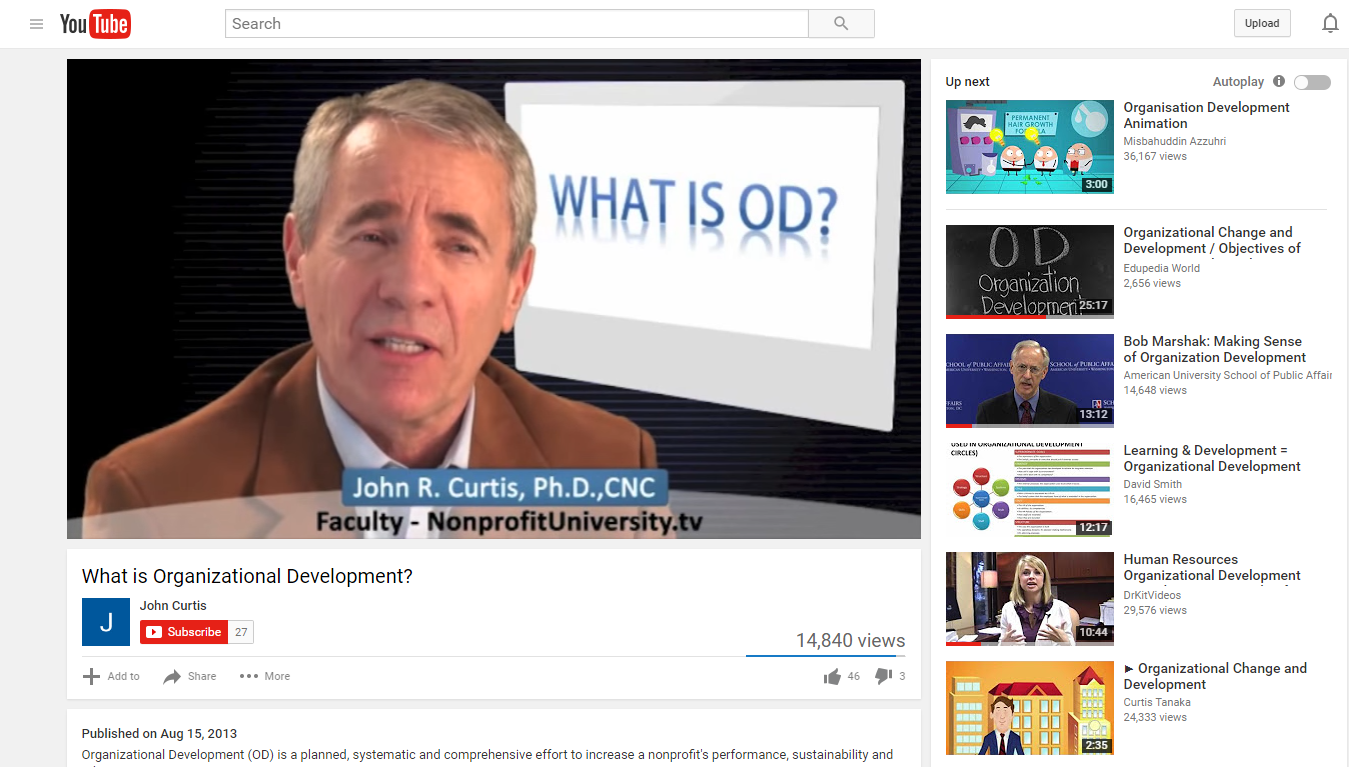
- Now as you scroll down the search you see a number of videos, for this, I will just choose one, John Curtis’ video will be fine, so click on the hyperlink for it.
- Usually, I turn down the volume, so it does not disrupt the process.
- Now I move my cursor under the title of the video to a plus icon on the left that has “add to” next to it and I click it.
- An Add to box, will come up with an option for “create new playlist” for this Gmail account. I simply hit the “create new playlist” button then I will name it: “Organizational Development” now I have an established channel so if I want to add additional videos at a later time to it I can.
- For now, I have completed creating a YouTube account for this Google/Gmail account. With a playlist, you can watch a collection of videos over and over again without continually searching YouTube for the ones you prefer to see multiple times.
- All you have to do now when logged into your existing Gmail account is type in youtube.com as you see here, now you will go to the left and there is a library section where your playlist will be listed. Click on to the playlist you want the screen to the left will reflect the playlist selection on the next screen. To start it, all you have to do is go up to the “Play all” button to start the playlist anytime you want.
- And with that, this concludes how you create a YouTube playlist with an existing Google/Gmail account using Google chrome as your default browser. Thank you.
Labels:
Blogs,
E-Learning,
E-Learning Design,
Employees,
Google,
Organization,
Organizational Culture,
Organizational Development,
Professionals,
Resources,
Tutorial,
Videos,
YouTube,
YouTube playlist
Organizational Clarity blog, now on Twitter!
To extended the reach of the Organizational Clarity blog not only is it on Google Plus with Blogger.com but also Wordpress.com, but that is old news! Now, I have added Twitter to the social media sites this blog will post to therefore you can now see our posts upon:
Subscribe to:
Posts (Atom)